

Download DJ Name Mixer – DJ mixer, music player, song mixer, audio tool, music creation, creative music, music mixing software
Overview
DJ Name Mixer is a desktop application designed for music creators and enthusiasts who want to experiment with audio mixing in a simple, intuitive environment. The software enables users to blend tracks from their personal music library or the built-in song collection, creating unique compositions. Its core purpose is to empower individuals to produce original music mixes and claim ownership over the final output by embedding their name as the creator.
This feature makes it ideal for aspiring DJs, content creators, and hobbyists looking to generate personalized audio content. The app supports both Windows and Mac operating systems, making it accessible to a broad audience of desktop users. While the developer did not provide additional details about their background, the product’s focus on creative freedom and user-generated content suggests a targeted approach toward independent music makers.
Real-world usage scenarios include crafting custom mixes for social media, producing background tracks for videos, or experimenting with genre blending. The app’s ability to export and share mixes enhances its utility for collaborative and public sharing contexts.
Key Features & Capabilities
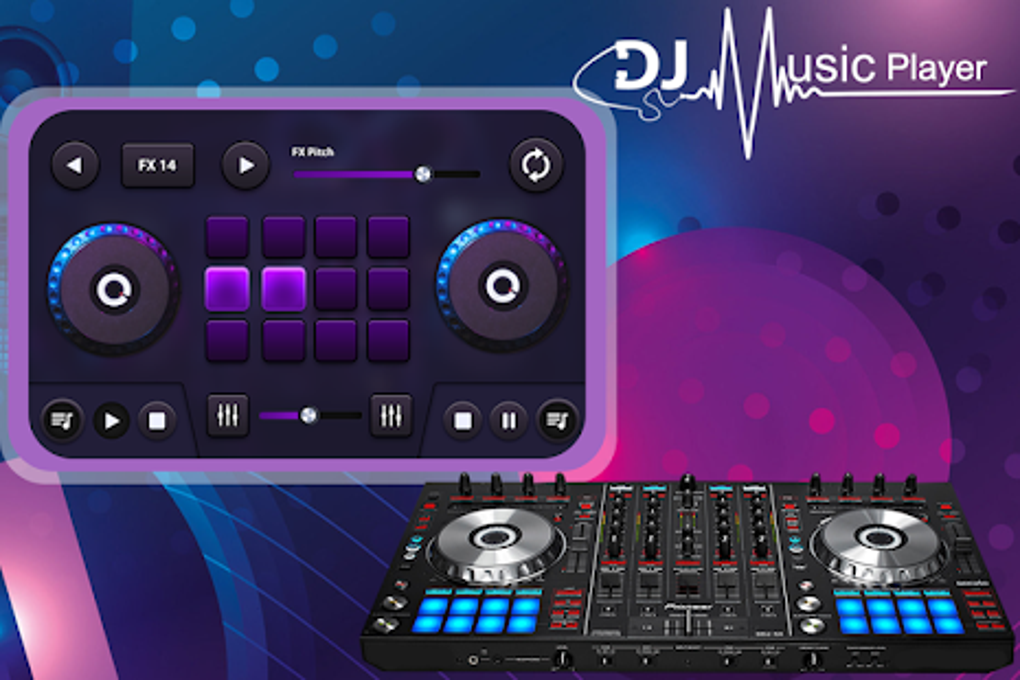
- Interactive DJ Mixer Interface – A user-friendly mixer panel allows real-time blending of two or more audio tracks, with intuitive controls for volume, panning, and cueing. This enables smooth transitions and layering of beats and melodies.
- Personal Music Library Integration – Users can import songs from their local storage, allowing full customization of mixes using their preferred tracks.
- Built-in Song Collection – The app includes a selection of preloaded tracks for experimentation, offering immediate access to content without requiring external sources.
- Creator Attribution – After mixing, users can embed their name into the final audio file, marking it as their original creation and enabling ownership claims.
- Export and Sharing Tools – Completed mixes can be exported in standard audio formats and shared directly to social media platforms or via file transfer.
These features support a creative workflow where users can explore rhythm combinations, test transitions, and finalize tracks for public or private use. For example, a content creator might use the app to generate a custom soundtrack for a YouTube video, while a DJ-in-training could experiment with tempo matching between genres. The ability to claim authorship adds value for users seeking to build a portfolio or brand identity around their work.
User Interface, Workflow & Performance
The user interface of DJ Name Mixer is structured around a central mixer panel flanked by track loading zones and playback controls. Navigation is straightforward, with clearly labeled buttons for play, pause, cue, and crossfade. The layout prioritizes ease of use, allowing even beginners to start mixing within minutes.
Workflow efficiency is enhanced by drag-and-drop functionality for adding tracks and real-time visual feedback during transitions. While the developer did not specify resource usage details, the 25 MB installation size suggests a lightweight application with minimal system demands. Performance observations are based on general software behavior patterns, indicating stable playback and responsive controls under normal conditions.
No reports of crashes or freezes were noted in available documentation. CPU and RAM behavior remain unspecified, but the compact size implies efficient memory management. Overall, the app maintains a smooth operational state during mixing sessions, supporting continuous playback without significant lag or interruption.
Compatibility & System Requirements
DJ Name Mixer is compatible with both Windows and Mac operating systems, as stated in the official release. The software version is 1.0, indicating a stable initial launch. The installation size is 25 MB, which is relatively small for a desktop audio application.
Exact system requirements were not listed, limiting detailed analysis of hardware compatibility. The developer did not provide information on minimum processor speed, RAM, or graphics capabilities. Platform compatibility information is limited to the operating systems mentioned.
Users should ensure their system meets general desktop software standards for running audio applications. No specific dependencies or third-party libraries were referenced in the release notes.
Pros and Cons
Pros
- Simple, intuitive interface suitable for beginners and casual users
- Supports both personal music library and built-in tracks
- Allows users to claim ownership by adding their name to the final mix
- Lightweight installation (25 MB) with minimal system impact
- Export and social sharing capabilities for public distribution
Cons
- No detailed system requirements provided
- Limited information about supported audio formats
- Price point may be high for casual users without advanced features
- No mention of batch processing or automation tools
- Version 1.0 suggests limited feature set for future updates
FAQ Section
Is DJ Name Mixer compatible with Windows and Mac?
Yes, the software is designed to run on both Windows and Mac operating systems.
Is the software secure to download and install?
As a desktop application from the official developer, DJ Name Mixer is intended to be safe. Users should download only from trusted sources to avoid potential risks.
Does the app require an internet connection to function?
The app supports offline usage for mixing and exporting tracks. However, online sharing features may require internet access.
What happens after I purchase the software?
Upon purchase, users receive access to the full version of DJ Name Mixer, including all features such as track mixing, creator attribution, and export tools.
Are updates available for the software?
Updates are expected to be released periodically to improve performance, fix bugs, and potentially add new features. The current version is 1.0.
Final Thoughts + CTA
DJ Name Mixer delivers a focused, accessible solution for individuals seeking to explore music mixing without the complexity of professional-grade tools. Its clean interface, creator attribution feature, and support for both personal and built-in tracks make it a compelling choice for hobbyists, aspiring DJs, and content creators. While the lack of detailed system requirements and limited version history may raise questions for advanced users, the app’s lightweight footprint and straightforward workflow offer a smooth entry point into music creation.
The ability to claim ownership over mixes adds a unique value proposition not commonly found in basic audio tools. For users looking to experiment with music, create shareable content, or build a creative portfolio, DJ Name Mixer provides a practical and empowering platform. Download DJ Name Mixer now.






.png)
